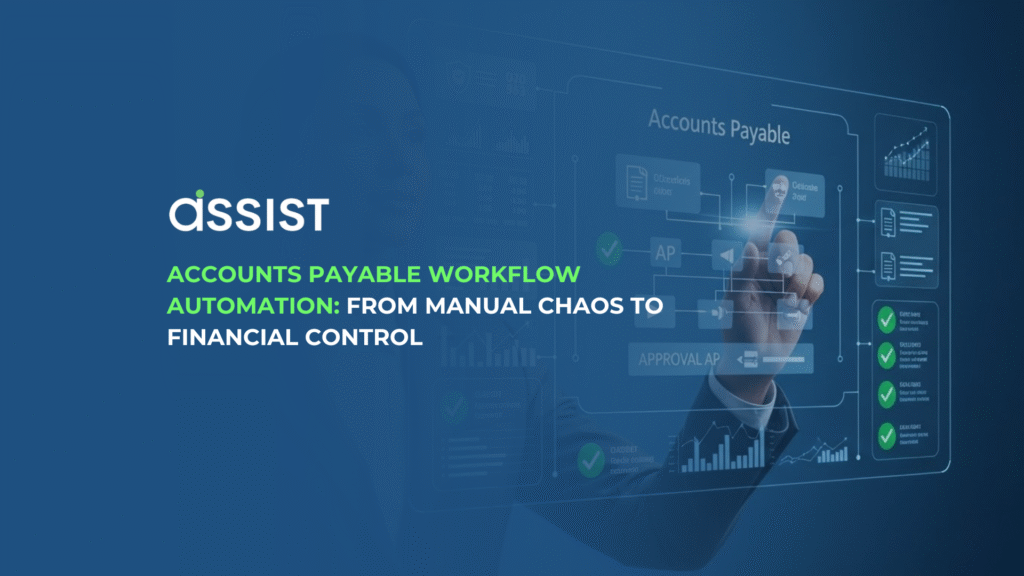

Accounts Payable (AP) workflow automation is the strategic application of AI-powered technology to manage, process, and pay vendor invoices digitally, thereby eliminating human error, mitigating fraud risks, and cutting the cost per invoice dramatically. This definitive guide will walk you through the five strategic steps to implementing a successful automated AP system, ensuring your business achieves financial control and audit-ready compliance. To master this transition and gain a competitive advantage, we invite you to read the full blueprint below.
The Core Problem: Why Your Accounts Payable Workflow is a YMYL Risk
If you are a finance manager or business owner, you know the truth: Accounts Payable (AP) is often the choke point of your financial operations. It is a necessary function, but in many organizations, it is still a chaotic, manual process that drains time, introduces risk, and keeps you from achieving true financial control. The solution is not more staff, but smarter systems: Accounts Payable workflow automation.
Your manual AP process is more than just slow; it’s a Your Money or Your Life (YMYL) risk to your business. When handling business finances, a high degree of accuracy and security is non-negotiable, and manual processes systematically undermine both.
The traditional AP workflow is often defined by:
-
The 7 Painful Steps: Invoice receipt (paper or email), manual data entry, three-way matching, routing for approval, final processing, payment, and reconciliation. Each step is a potential point of failure.
-
Regional Challenges: In a region with diverse regulatory environments, varied vendor invoice formats, and the pressure of upcoming mandates like e-Invoicing in Malaysia, manual handling of invoices quickly becomes unsustainable.
-
The Cost of Risk: Every keystroke is an opportunity for human error, which directly impacts your financial statements. Worse, manual systems are vulnerable to fraud and, critically, can lead to severe compliance penalties if you cannot produce an immediate and clear audit trail.
AP workflow automation is essential because the manual process is inherently risky, making it one of the most critical areas to transform for business stability and compliance.
What AP Automation Truly Means: Beyond Just Invoice Scanning
Accounts Payable automation is often mistakenly reduced to simply “scanning invoices.” While digital capture is a component, modern AP automation is an end-to-end digital solution that takes ownership of the entire invoice lifecycle. It is about applying advanced technology to create an intelligent, touchless workflow.
A concise, expert definition: AP workflow automation is the application of technologies—like Artificial Intelligence (AI) and Machine Learning (ML)—to manage, route, and process vendor invoices and payments digitally, with minimal human intervention, from initial receipt through to final reconciliation.
The Technology Engine (Focus on Expertise)
The power of modern AP automation lies in its ability to read, understand, and act on data. This is achieved through:
-
Advanced Data Capture: Our solution leverages advanced Optical Character Recognition (OCR) technology for invoice data extraction to minimize manual effort. Unlike basic OCR, AI-powered systems can “learn” vendor templates and handle complex, unstructured data, ensuring high-accuracy data extraction directly into your accounting system.
-
Smart Coding and Validation: AI and ML are used to suggest the correct General Ledger (GL) coding and perform crucial steps like two-way or three-way matching against purchase orders (POs) and goods received notes (GRNs).
-
Automated Routing: This is the “workflow” component—automatically sending invoices to the right approver based on predefined rules (e.g., amount, department, vendor).
The key components are Digital Capture, Automated Validation, a dynamic Approval Workflow, and seamless ERP Integration, working together to eliminate bottlenecks.
A 5-Step Strategic Blueprint: How to Implement AP Workflow Automation (E-E-A-T Focus)
Implementing AP automation is a project, not a purchase. To ensure success and demonstrate your financial Expertise, you must follow a structured, strategic blueprint. This approach focuses on detailed planning and execution, reflecting true operational Experience.
Step 1: The AP Process Audit (The “Before” Picture)
Before you can build a new workflow, you must fully understand your existing one.
-
Map It Out: Document every single action an invoice takes from the moment it arrives until payment is made. Identify the bottlenecks: where does paper get stuck? Which approvals are the slowest?
-
Actionable Tip: Calculate Your Current CPI: Determine your Cost Per Invoice (CPI). This calculation should include staff labor costs, late payment penalties, and the cost of managing disputes. This number is your vital benchmark to prove ROI later.
Step 2: Designing Your Future Automated Workflow (Demonstrating Experience)
Now, design the ideal flow, leveraging automation to eliminate manual steps.
-
Define Triggers: How will invoices enter the system (email integration, mobile upload, API)?
-
Establish a Compliance and Audit Trail: The automated system must, by default, log every action. This guarantees an immediate, unchangeable record, ensuring your process is audit-ready from day one.
-
Improvement: The Approval Matrix: To manage approvals efficiently, a clear invoice approval matrix definition, benefits, and how to use it is essential. Design an approval hierarchy based on value, department, or project to ensure governance without delay.
Step 3: Choosing the Right Automation Partner (Vendor Agnostic Guide)
Your technology partner should be a strategic fit for your specific needs. Focus on these key evaluation criteria:
-
Integration: Can the solution seamlessly integrate with your existing ERP/Accounting Software (e.g., Xero or QuickBooks)? Look for deep, two-way synchronisation for smooth data flow.
-
Accuracy: Demand high OCR and AI accuracy rates, especially for line-item data.
-
Scalability & Localisation: Can the solution grow with your company (e.g., handling 100 invoices a month now, and 10,000 in two years)? Crucially, does it handle local language, currency, and tax requirements common in markets?
Step 4: Integration and Configuration (Technical Expertise)
This is where the rubber meets the road. A common mistake is a “big bang” rollout.
-
Phased Rollout: Start small. Automate a single, non-critical invoice channel or a specific low-volume vendor group. This allows your team to gain confidence and helps you fine-tune the system before a full launch.
-
Configuration: Configure the system to match your rules (GL codes, approval limits, tax treatments).
-
Address the ‘Failure Point’: Automation is not flawless. You must integrate a clear, human review step for exceptions (e.g., if OCR accuracy drops below a threshold or a three-way match fails). This maintains financial control and maximizes Trust.
Step 5: Training, Rollout, and Measurement
The human element is the final success factor.
-
Training: Ensure your AP team and approvers are comfortable with the new interface and workflow.
-
KPIs: Track the critical performance indicators identified in Step 1, such as CPI, Invoice Cycle Time (the time from receipt to payment), and your overall Error Rate. The success of the project must be quantifiable.
Proving the ROI: A Finance Manager’s Before-and-After Scenario
To demonstrate the power of automation—and to further your Authoritativeness—let’s examine a typical scenario for a business.
Scenario: A Mid-Sized Trading Company
-
Volume: 1,000 invoices per month.
-
Staff: 2 full-time AP clerks.
-
Manual CPI: Estimated at US$10 per invoice.
-
Annual Cost (Manual): US$120,000 in processing costs alone.
The “Before” (Manual Pain)
The AP team spends 80% of their time on data entry and chasing approvals. They frequently miss early-payment discounts (2% of a $50,000 invoice is $1,000 lost). They waste an average of 10 hours per month trying to track down misplaced paper invoices for the finance team. The result: high costs, low visibility, and chronic stress.
The “After” (Automated Control)
With automation, the data entry time drops by 90%. Invoices are automatically routed to the right manager via the cloud, reducing approval time from an average of 7 days to 24 hours.
-
Automated CPI: Drops to an estimated US$3 per invoice.
-
Annual Cost (Automated): US$36,000.
-
Annual Savings: US$84,000 in processing costs alone.
The AP staff is reallocated to valuable tasks, such as vendor relationship management and cash flow forecasting. The automation process provides real-time visibility and control, transforming the team from data entry operators into strategic finance analysts. Our case studies section features businesses like yours that have seen real savings and operational improvements.
Essential E-E-A-T Compliance: Security and Auditability in the Digital Age
For a YMYL topic, trust is your most valuable currency. Your automated workflow must be designed to enhance, not compromise, security and auditability.
-
Data Security: Look for platforms that use bank-level encryption (e.g., 256-bit AES) and comply with global data security standards. Security is paramount, which is why information on our certifications is readily available, proving our commitment to protecting your sensitive financial data. The cloud environment should offer robust access control to ensure only authorized users can view, approve, or alter financial documents.
-
Audit-Ready Trails: Automation instantly eliminates the risk of lost receipts. The system must create permanent, traceable logs of every action. If you’ve ever had to deal with the stress of a tax audit and missing receipts, you know the value of having every document and approval logged, timestamped, and instantly retrievable. This is the cornerstone of regulatory compliance in the digital era.
-
Compliance with Mandates: The best systems future-proof your business. For instance, the automation flow can be designed to support the upcoming e-invoicing mandate in Malaysia by capturing the necessary structured data fields and ensuring submission readiness.
Conclusion: Taking the Next Step Towards AP Mastery
The time for hesitation on accounts payable workflow automation is over. For any growing business, it is no longer an optional upgrade but a necessary strategic tool for mitigating financial risk, ensuring compliance, and optimizing cash flow. By adopting a structured implementation approach focusing on clear ROI and robust security, you can elevate your finance function from a costly necessity to a source of competitive advantage.
You have the blueprint for success. Now is the time to put this knowledge into action.
To truly automate your AP function—from intelligent data extraction to secure, final approval—you need a powerful, localized solution. Assist is the cloud-based AP automation solution built specifically to handle the regional complexities and high-volume demands of SMEs. With its AI-driven features, Assist provides the control, compliance, and cost savings detailed in this guide. To begin your journey, you can Register for using Assist solution and try it for free to experience the future of financial workflows firsthand.