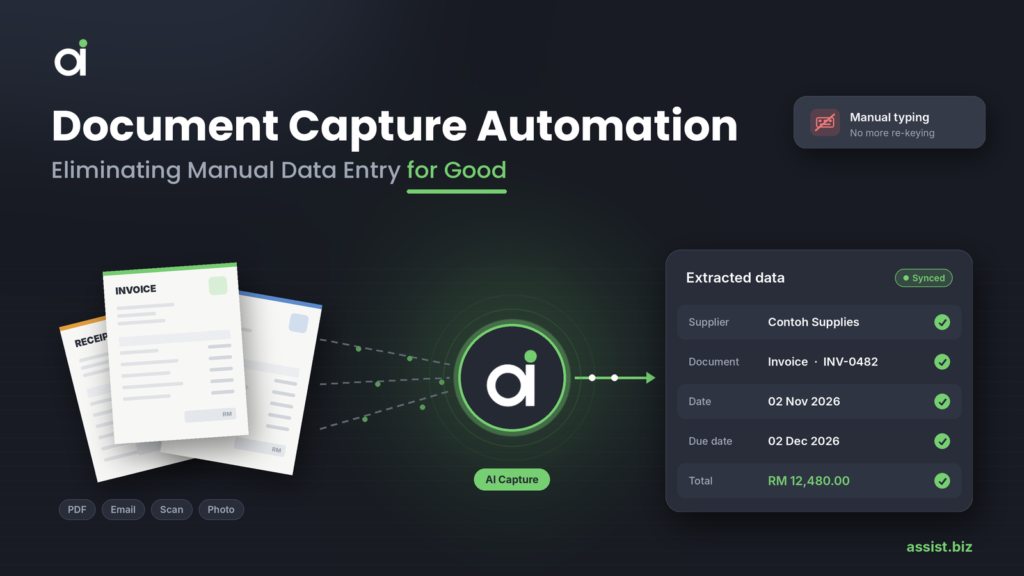






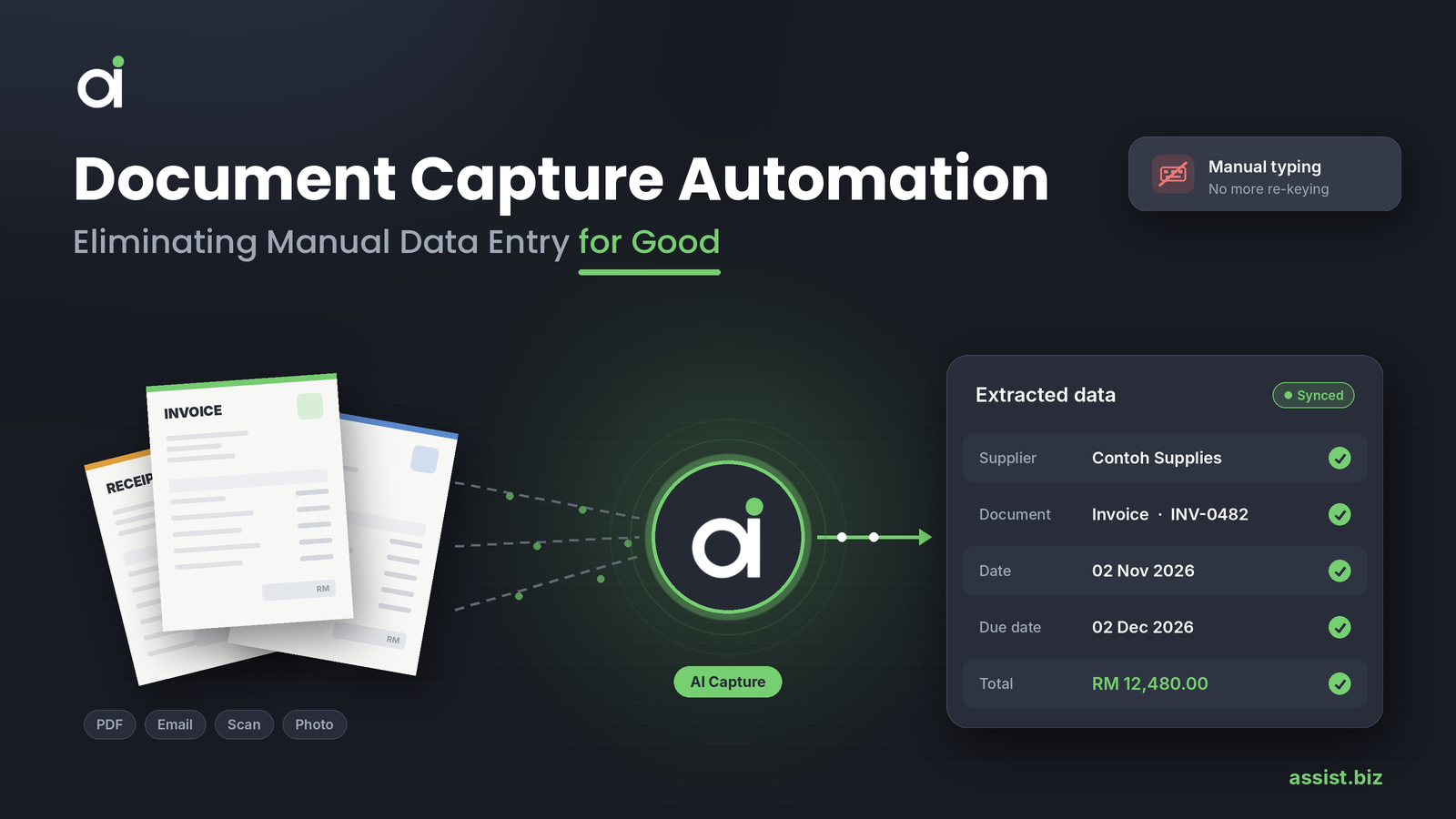

Manual data entry remains one of the most persistent inefficiencies in enterprise finance. Despite investments in enterprise resource planning (ERP) systems, finance teams still spend hours downloading invoices, extracting information from PDFs, checking receipts, and transferring financial data between systems.
For Singapore enterprises managing thousands of transactions across multiple departments, suppliers, and subsidiaries, these repetitive tasks create processing delays, increase the risk of errors, and limit financial visibility.
Document capture automation offers a more efficient approach. By combining artificial intelligence (AI), optical character recognition (OCR), and intelligent document processing (IDP), organisations can transform financial documents into structured, usable data with significantly less manual intervention.
However, effective automation goes beyond extracting information. It connects document capture with validation, accounting workflows, approvals, and ERP integration.
The objective is not to remove human judgment from finance operations. It is to eliminate repetitive data entry while allowing finance professionals to focus on accuracy, compliance, and strategic decision-making.
What Is Document Capture Automation?
Document capture automation is the technology-driven process of collecting, classifying, extracting, and validating information from physical and digital documents.
Instead of manually entering supplier names, invoice numbers, transaction dates, and payment amounts, organisations can automatically convert document information into structured data ready for financial processing.
For example, when a supplier emails an invoice, an automated system can identify the document, extract relevant fields, validate the information, and prepare it for the appropriate accounting workflow.
Modern document capture automation typically combines three technologies:
- Optical Character Recognition (OCR): Converts scanned documents and images into machine-readable text.
- Artificial Intelligence and Machine Learning: Identify document types, interpret different layouts, and recognise important financial information.
- Intelligent Document Processing (IDP): Combines document classification, data extraction, and validation to support automated business workflows.
Understanding the fundamentals of optical character recognition helps explain how document processing has evolved from basic scanning into intelligent financial automation.
For enterprises, the greatest value comes when captured information flows into existing finance systems without unnecessary re-entry.
How AI-Powered Document Capture Automation Works
A reliable document capture process involves several interconnected stages. Each stage reduces repetitive work while maintaining the accuracy, security, and traceability required by enterprise finance operations.
Document Ingestion and Classification
The process begins when documents enter the organisation through email, PDFs, scanned files, shared folders, or supplier portals.
These documents may include supplier invoices, purchase orders, expense receipts, bank statements, and other financial records.
An automated system collects incoming documents, identifies their types, and directs them into the appropriate workflows.
For example, a supplier invoice can be classified separately from an employee expense receipt, reducing the need for employees to manually download, rename, and organise files.
AI Data Extraction and Validation
Once classified, AI-powered extraction identifies relevant information, including supplier details, invoice numbers, transaction dates, GST amounts, payment terms, and line items.
The extracted information is then checked against predefined business rules and available reference data.
An invoice total, for instance, can be compared with its line-item calculations, while supplier details can be verified against approved vendor records.
Documents containing missing fields, inconsistent values, or low-confidence results are flagged for human review.
This combination of automation and exception handling helps enterprises maintain financial accuracy without manually checking every field.
Accounting Classification and Approval
After validation, captured information enters the relevant finance workflow.
Depending on system capabilities, automation can suggest general ledger (GL) codes, flag duplicate invoices, support purchase order matching, and route transactions for approval.
This is especially valuable in accounts payable invoice automation, where document extraction is only one part of a larger process involving verification, authorisation, and payment preparation.
ERP Integration and Audit Trails
Once approved, validated information can be transferred into connected accounting or ERP systems.
Integration reduces repeated data entry while preserving transaction references, approval histories, and supporting documentation.
For enterprises operating multiple financial systems, integration capabilities should be evaluated carefully to ensure compatibility with existing controls and workflows.
OCR vs Intelligent Document Processing: What’s the Difference?
OCR and intelligent document processing are closely related, but they perform different functions.
OCR primarily recognises text within scanned documents or images. It does not inherently understand whether a particular number represents an invoice total, GST amount, or supplier reference.
Intelligent document processing adds contextual extraction, document classification, and validation.
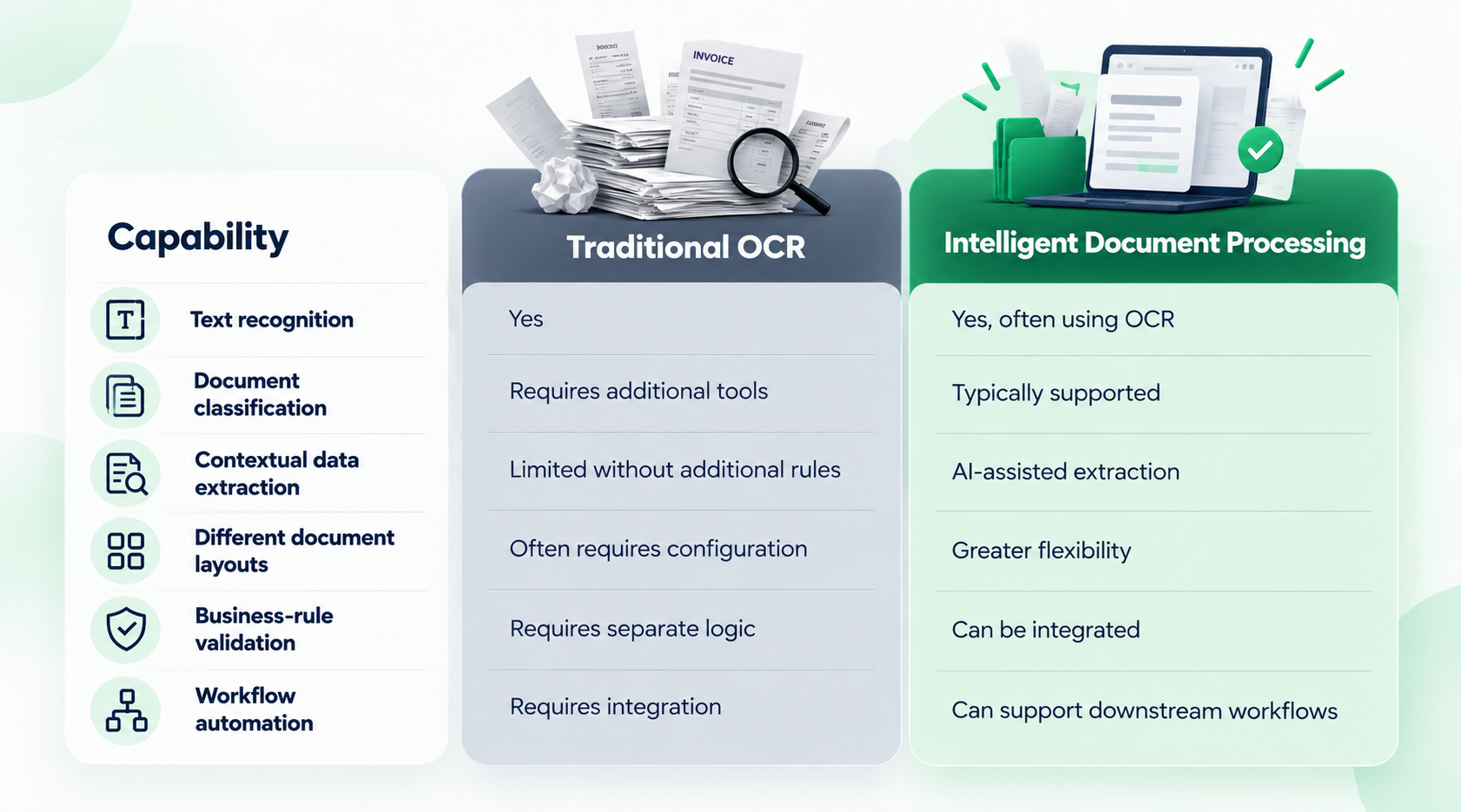
For enterprises comparing these technologies, understanding the differences between invoice scanning, OCR, and AI automation helps establish realistic implementation expectations.
Importantly, intelligent document processing does not guarantee error-free results. Reliable automation still requires validation, exception management, and appropriate human oversight.
Six Enterprise Use Cases for Document Capture Automation
Document capture automation supports more than invoice processing. Its applications extend across finance, procurement, and administrative operations.
- Supplier Invoice Processing
Supplier invoices frequently arrive in different layouts and formats, creating additional work for accounts payable teams.
Automated capture extracts supplier information, invoice numbers, payment terms, tax amounts, and line items.
The data can then be validated and routed for further processing, allowing employees to focus on discrepancies rather than routine transcription.
- Accounts Payable Automation
Document capture can support GL coding, duplicate detection, invoice matching, and approval workflows.
For purchase-order-based transactions, three-way matching compares supplier invoices against purchase orders and goods receipt records.
This helps finance teams identify discrepancies before invoices proceed to payment.
- Employee Expense Claims
Employees regularly submit receipts for travel, accommodation, meals, and other business expenses.
AI-powered capture can extract merchant names, dates, transaction amounts, and other relevant information.
These details can then be routed through approval workflows, reducing administrative effort while improving expense visibility.
- Bank Statement Processing
Finance teams often process bank statements containing hundreds or thousands of transactions.
Automated extraction converts supported statement formats into structured transaction data that can assist bank reconciliation.
Unmatched transactions, unusual entries, and discrepancies still require appropriate investigation.
- Multi-Entity Finance Operations
Large enterprises may operate several subsidiaries with different suppliers, approval structures, and accounting requirements.
Document capture automation can standardise document intake while applying entity-specific validation and processing rules.
This supports more consistent financial operations and improved visibility across the organisation.
- Purchase Orders and Contracts
Purchase orders and contracts contain information that finance and procurement teams frequently need to reference.
Automated capture can extract supplier details, purchase order numbers, contract dates, and relevant financial terms.
These fields can support downstream verification, matching, and document management, although complex contractual interpretation may still require specialist review.
The Business Benefits: Accuracy, Efficiency and ROI
The value of document capture automation extends beyond faster data entry. When properly implemented, it can improve how enterprises manage financial information across departments and systems.
Reduced processing time: Employees spend less time downloading documents, copying information, and transferring data between applications.
Improved accuracy: Automated validation helps identify missing fields, inconsistent amounts, and potential duplicate transactions before processing.
Greater financial visibility: Structured information becomes available sooner, allowing finance teams to monitor invoices, expenses, and outstanding transactions more effectively.
Stronger audit readiness: Organised digital records, document references, and approval histories make supporting information easier to retrieve.
Operational scalability: Enterprises can manage increasing document volumes without necessarily expanding administrative resources at the same rate.
Measuring the Return on Investment
Consider a hypothetical Singapore enterprise processing 10,000 documents each month.
If every document requires five minutes of manual processing, the organisation spends approximately 833 hours monthly on these activities.
Reducing manual processing time by 70% would release approximately 583 hours per month, equivalent to 7,000 hours annually.
At an illustrative labour cost of S$40 per hour, this represents S$280,000 in annual labour capacity.
However, released capacity does not automatically translate into cash savings. Actual returns depend on licensing costs, implementation expenses, integration requirements, exception handling, and how employees’ time is redeployed.
Enterprises should track metrics such as straight-through processing rates, field-level extraction accuracy, cost per document, and exception rates to evaluate performance.
Document Capture Automation and Singapore Compliance
For Singapore enterprises, document capture automation should support both operational efficiency and regulatory obligations.
Three areas deserve particular attention: GST InvoiceNow, record retention, and personal data protection.
GST InvoiceNow and Structured E-Invoicing
Singapore’s GST InvoiceNow Requirement is being introduced progressively across GST-registered businesses.
According to the Inland Revenue Authority of Singapore (IRAS), existing GST-registered businesses with annual supplies exceeding S$4 million fall within the 1 April 2031 implementation phase. Other categories, including new voluntary GST registrants, have earlier requirements.
InvoiceNow uses the Peppol network to exchange structured electronic invoice information and supports the transmission of specified invoice data to IRAS.
However, document capture automation and InvoiceNow are not interchangeable.
Document capture technology extracts information from PDFs, scans, and other documents. InvoiceNow supports structured electronic invoice exchange and the required invoice-data submissions through appropriate connected solutions.
Enterprises should therefore assess their document processing infrastructure alongside their Singapore InvoiceNow readiness.
Organisations using in-house enterprise systems should also evaluate connectivity with IMDA-accredited Access Point Providers.
Record Retention and Audit Readiness
IRAS requires GST-registered businesses to maintain relevant accounting and business records for at least five years from the end of the accounting period.
These records include invoices, receipts, payment documents, and other supporting information needed to substantiate GST declarations.
Document automation can support these obligations by organising digital records, maintaining transaction references, and improving retrieval during audits.
However, businesses remain responsible for ensuring that their record-keeping arrangements satisfy applicable requirements.
PDPA and Enterprise Data Security
Financial documents frequently contain personal information relating to employees, customers, and suppliers.
Under Singapore’s Personal Data Protection Act (PDPA), organisations must implement reasonable security arrangements to protect personal data under their control.
When evaluating document automation solutions, enterprises should examine access controls, encryption, retention policies, vendor security practices, and cross-border data handling.
Automation should improve information governance rather than create additional security risks.
How to Choose Document Capture Automation Software
Selecting an enterprise document capture platform requires more than comparing advertised AI capabilities.
Finance and technology leaders should evaluate how effectively a solution supports existing operational requirements.
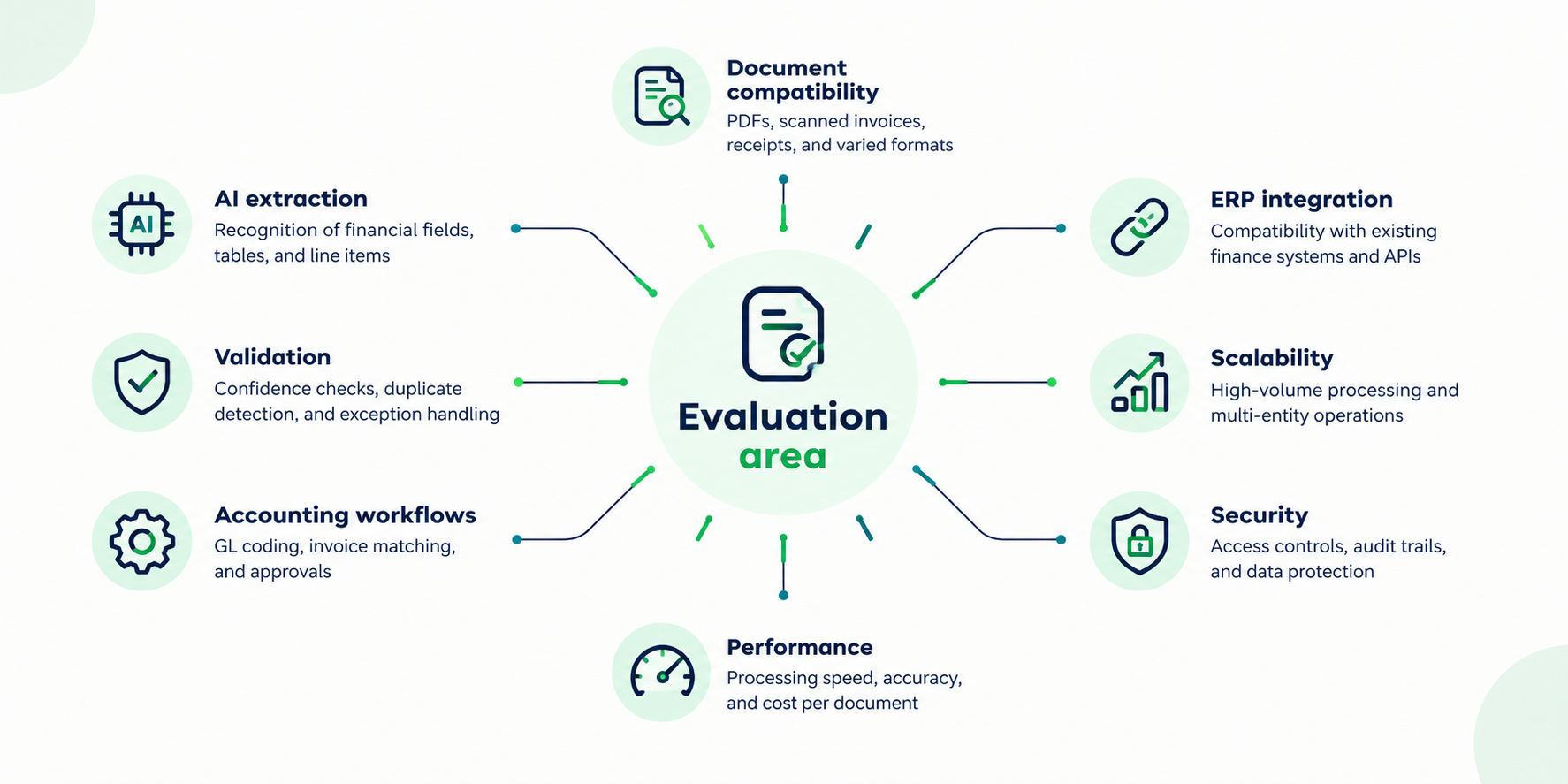
A proof-of-concept should use representative documents from the organisation’s actual operations.
These should include poor-quality scans, complex supplier invoices, multiple currencies, and documents containing inconsistent information.
The objective is to evaluate real-world performance rather than relying solely on vendor demonstrations.
Implementation Roadmap: From Manual Entry to Automated Workflows
Successful document capture automation requires a structured approach.
- Assess existing workflows. Identify document volumes, recurring errors, manual processing activities, and operational bottlenecks.
- Select a pilot process. Start with a high-volume workflow, such as supplier invoice processing, where improvements can be measured.
- Test extraction and validation. Evaluate accuracy, exception rates, and the reliability of captured financial information.
- Integrate existing systems. Connect validated workflows with accounting or ERP platforms while maintaining approval and financial controls.
- Expand gradually. Introduce automation across additional departments, document types, or subsidiaries after successful pilot testing.
- Monitor and optimise. Review processing times, integration failures, exceptions, and user feedback to improve performance continuously.
A common mistake is assuming that AI extraction alone eliminates manual work. Without reliable validation, integration, and exception handling, organisations may simply replace manual data entry with manual error correction.
Frequently Asked Questions
Can document capture automation eliminate all manual data entry?
It can eliminate much of the repetitive entry associated with standard financial documents. However, unusual transactions, incomplete information, and low-confidence results may still require human review.
Is OCR on its own enough for invoice processing?
Rarely. OCR reads the text but cannot tell an invoice total from a GST line, so finance teams usually need classification and validation on top of it.
Do businesses on InvoiceNow still need document capture?
In most cases, yes. InvoiceNow handles structured e-invoices, while expense receipts, bank statements, contracts and PDF invoices from suppliers outside the network still arrive as documents that need capturing.
Conclusion: Moving Beyond Manual Data Entry
Document capture automation enables enterprises to reduce repetitive financial administration while improving accuracy, visibility, and operational control. Its greatest value comes from connecting intelligent extraction with validation, approval workflows, and existing financial systems.
For Singapore enterprises looking to modernise their finance operations, ASSIST offers document capture automation capabilities that support invoice extraction, document classification, and streamlined accounting workflows. To explore how these capabilities could fit your organisation’s processes, create an ASSIST account and test document capture on your own invoices and receipts.